

The big picture
Numpay has three parts that work together:- The Numpay app on your mobile. It holds your wallet and signs your payments.
- The Numpay server. It works like an address book: it knows which wallet belongs to which mobile number or email, and keeps your payment history and requests.
- The Base network. The crypto actually lives here. A transfer on Base is final in a few seconds.
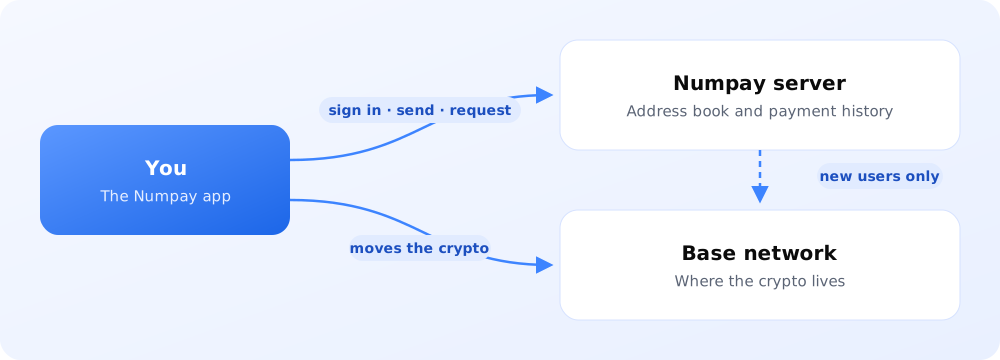
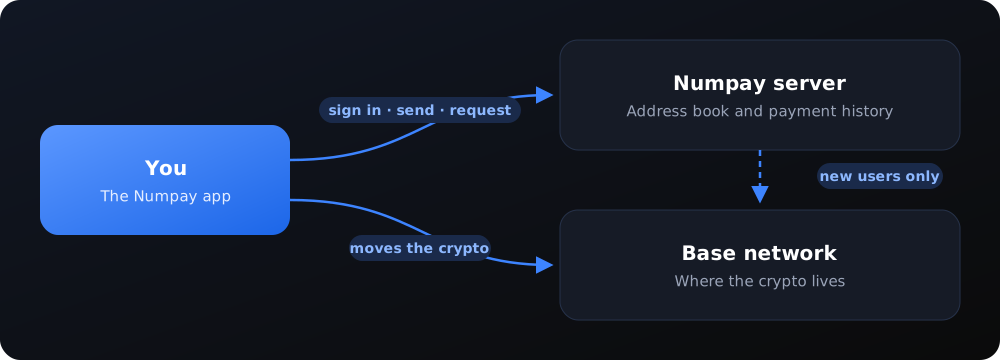
The Numpay server never holds your money and never has your key. Your wallet is controlled only by your sign-in. The one exception is money sent to someone who hasn’t signed up yet; see Paying someone new.
Signing in creates your wallet
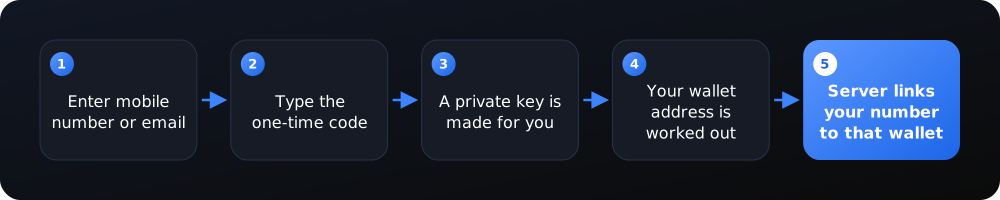
You type your mobile number (or email) and the code you receive. Our login partner, Web3Auth, then gives your app a private key that only you can unlock. From that key, the app works out the address of your smart wallet, the account that holds your dollars. The server writes down “this mobile number owns this wallet” so other people can pay you by number. You never see or copy the key. Signing in again on any device gives you the same key, and so the same wallet.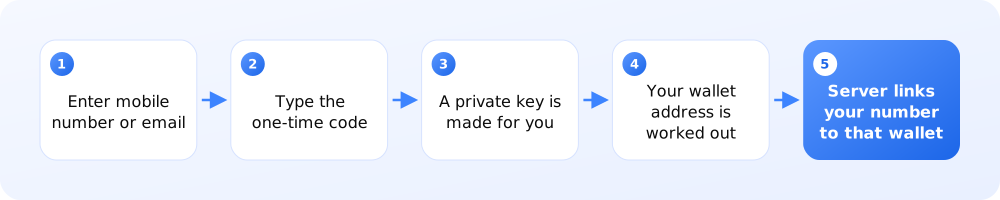
 Technical detail: Identity and authentication →
Sending money
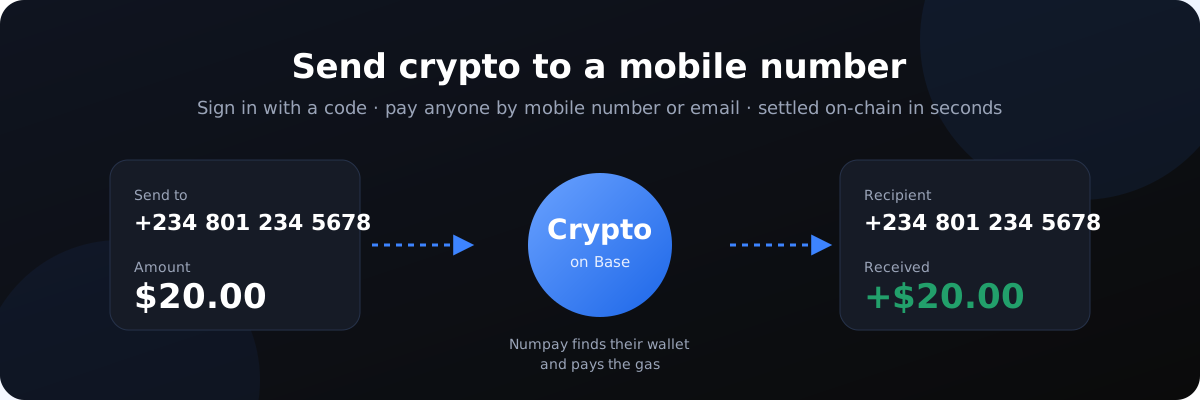
When you send $20 to a mobile number, the app looks up that person’s wallet, then sends $20 of crypto straight from your wallet to theirs. Numpay pays the small network fee (“gas”) for you, so you never need to own any other token. The payment is then recorded so it shows up in both people’s activity.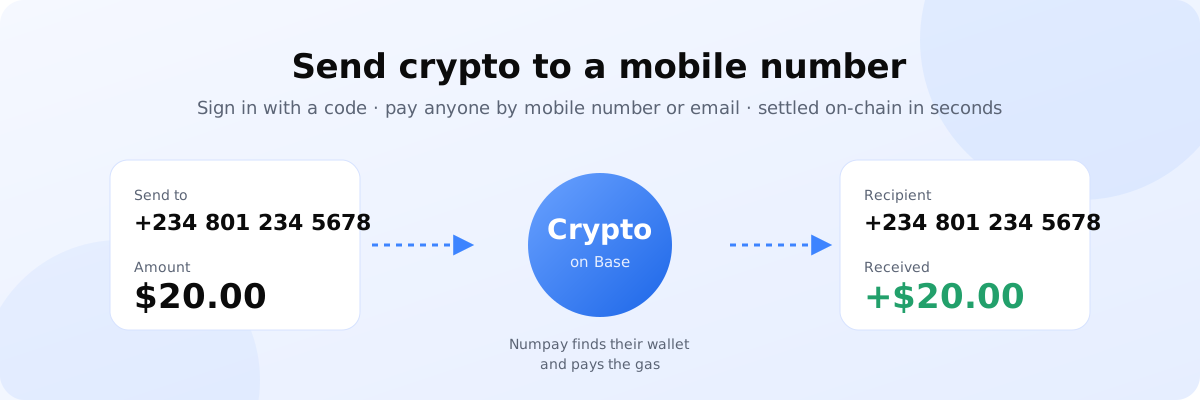
 Technical detail: Send flow →
Paying someone who hasn’t joined yet
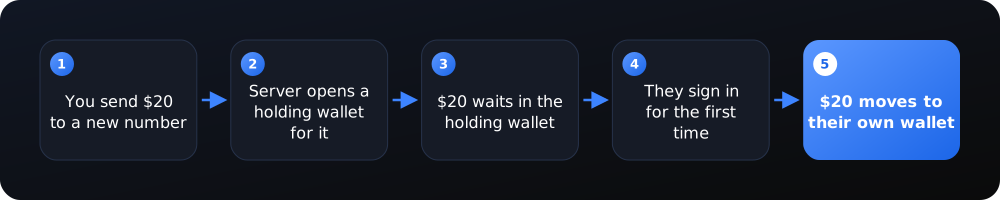
If the number you are paying isn’t on Numpay yet, the server opens a holding wallet for that number, and your money goes there. Nobody can spend it from the app. The moment that person signs in with that number for the first time, Numpay moves the full balance into their own wallet. After that, the holding wallet’s key is deleted.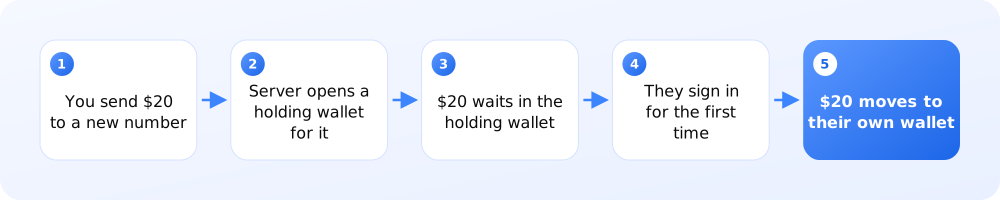
 Technical detail: Claimable wallets →
Requesting money
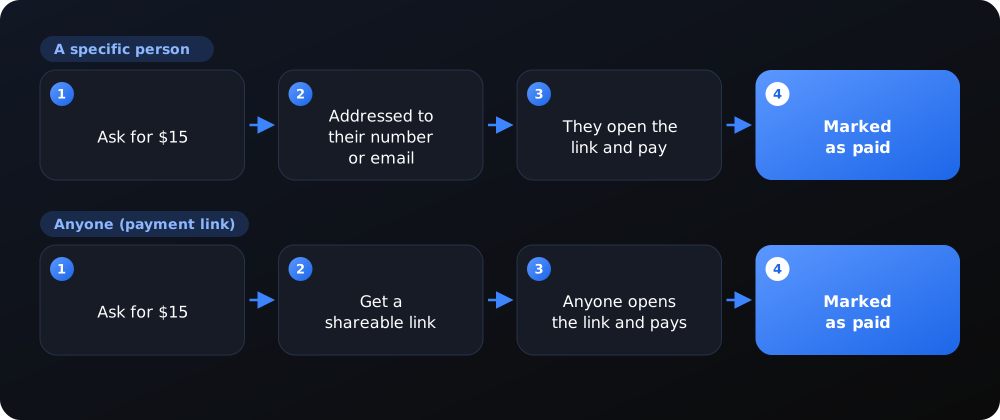
You can request money from one person (by mobile number or email) or create an open link that anyone can pay. Either way, you get a link to share. When the payer opens it, the amount and recipient are filled in for them; one tap pays it and the request is marked as paid.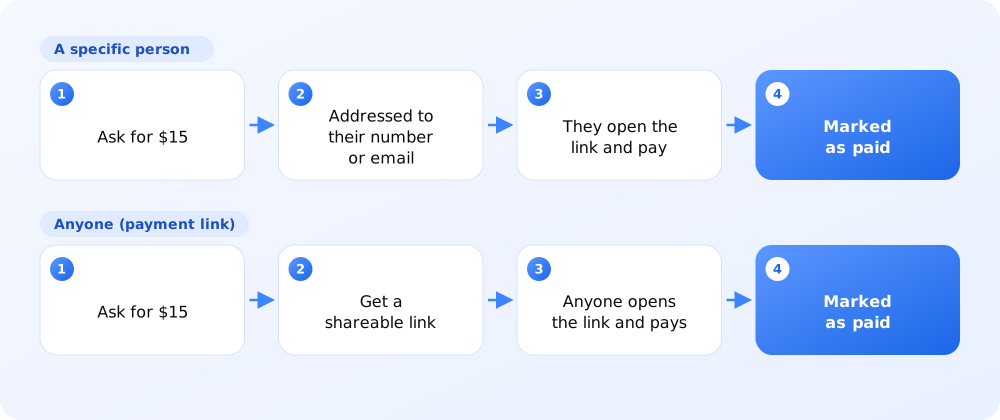
 Technical detail: Request flow →
Adding money
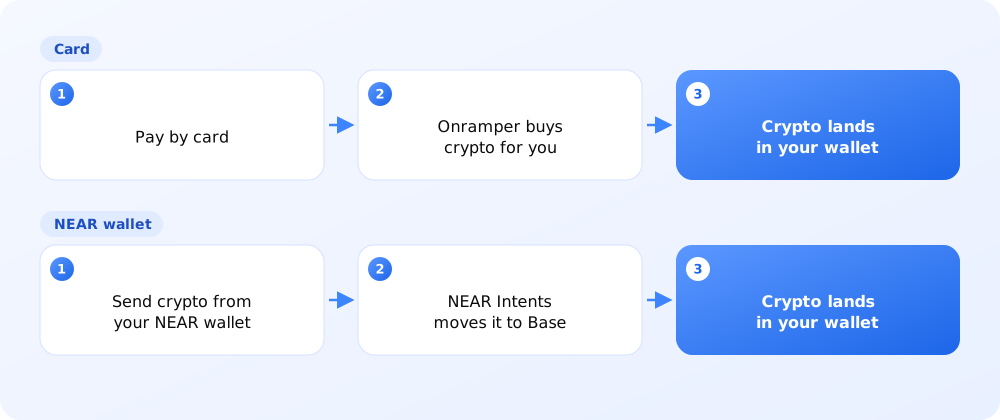
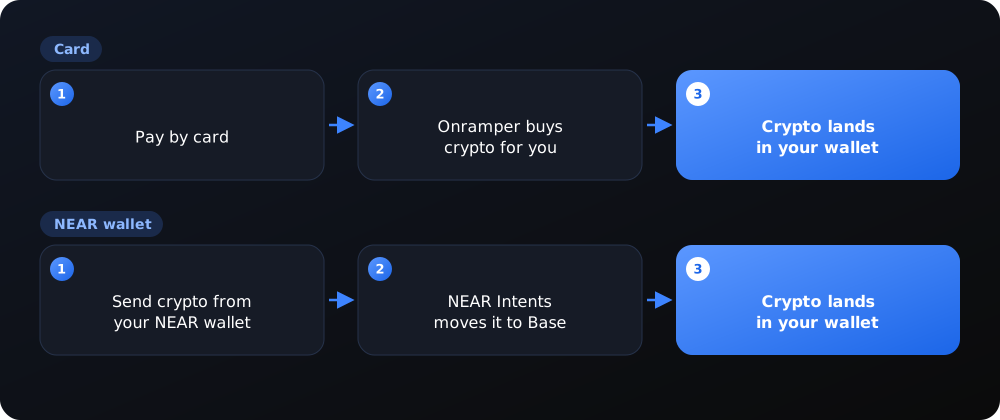
There are two ways to top up:- Card: Numpay opens Onramper, a service that sells crypto for regular money and delivers it straight to your Numpay wallet.
- From a NEAR wallet: if you already hold crypto (USDC) on the NEAR network, Numpay moves it to your wallet on Base using NEAR Intents. If anything goes wrong, it is refunded to your NEAR wallet.
 Technical detail: Deposit flows →